Sales CRM

Sales CRM software built around your own pipeline

Run deals on stages you name yourself, see what each one is worth, and find out how quickly your team is responding.

A sales CRM keeps every deal, contact and sales activity in one place so a team can see what is in the pipeline and what to do next. This one runs on a pipeline each workspace configures for itself.

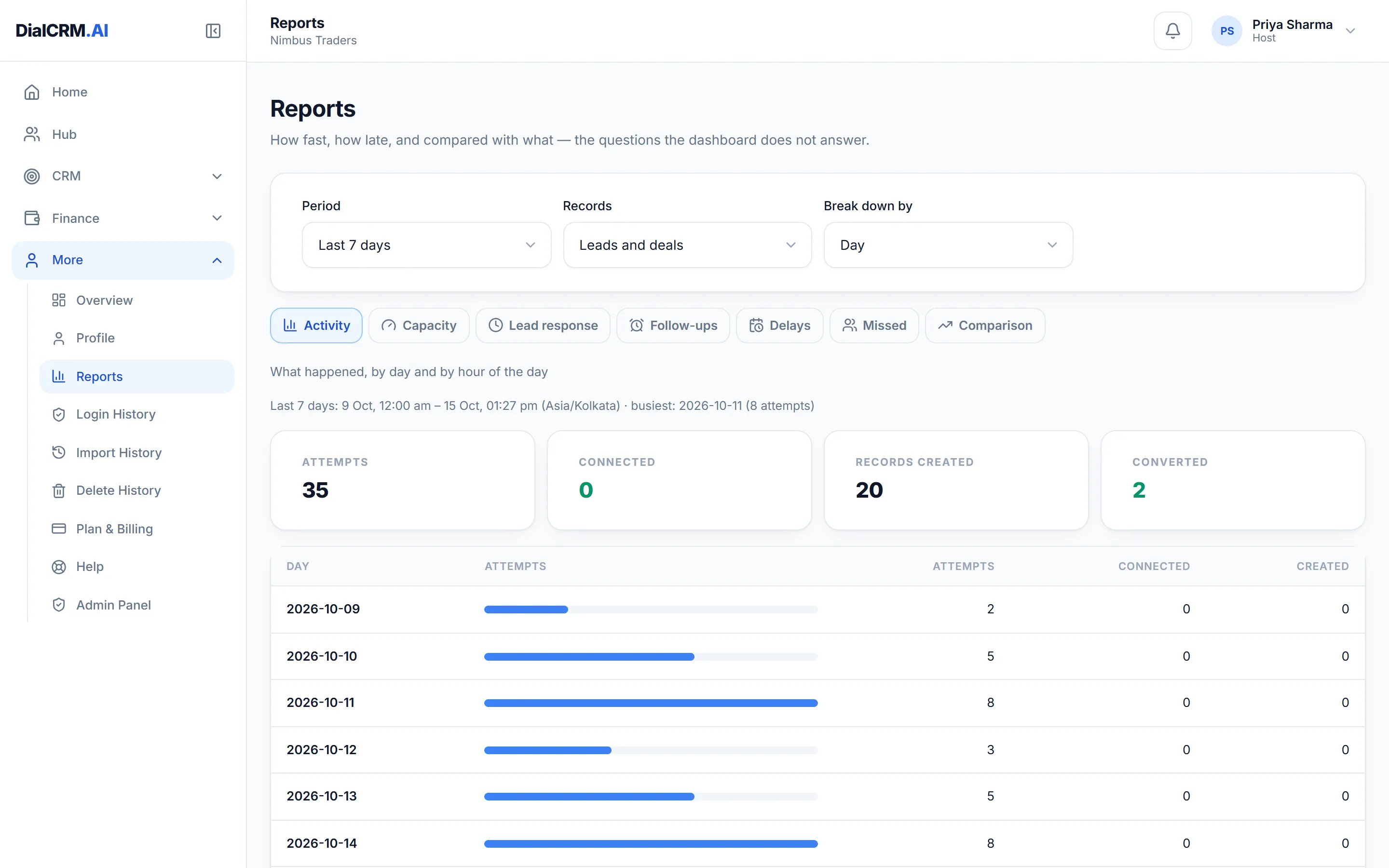
The Reports page in DialCRM.AI with tabs for activity, capacity, lead response, follow-ups, delays, missed and comparison, showing attempts and records created over the last seven days.

A pipeline that matches how you sell

What a stage is called and which outcomes an attempt may record are yours to decide.

  • Stages, statuses and dispositions you name yourself
  • Your own custom fields on the deal form
  • A stage strip showing the count and the amount in each
  • Filters for created date, stage, owner and source

Track sales team performance

The dashboard says where things stand, and the reports answer the questions it does not.

  • Deal counts and values by stage, with a funnel
  • Source and employee comparison, and the disposition mix
  • Lead response time, follow-up adherence and delays
  • Any period compared with another, by day, week or month

The right view for each person

A rep sees their desk and a manager sees the team, and the server enforces it rather than hiding the buttons.

  • Self, Team and Admin views on every list
  • Members, groups and reporting lines
  • Custom roles over a fixed set of permissions

Questions

Sales CRM software: common questions

Can we rename the stages?

Yes. Statuses, stages, dispositions, sources and attempt types are configurable per workspace. The defaults are only a starting point, and renaming a stage later does not rewrite the history.

Can a salesperson see other people’s deals?

Only if you let them. Self shows their own records plus anything unassigned, Team adds everyone reporting to them, and Admin is the whole workspace.

Does it work on a phone?

Yes. It runs in the browser and has Android and iOS apps. Tables become cards on a phone, and the navigation moves to a bottom bar.

See it with your own enquiries.

Create a workspace, connect a source, and watch the pipeline fill with your real customers.

Get started free