One click to call
The dialler opens beside the record you are on, so the customer’s details stay in front of you.
- Call from the deal itself
- The attempt is logged as you make it, not afterwards
- Connected per workspace with your own DialTalk key
Cloud calling
Dial the customer from the deal with DialTalk. The attempt, the outcome, the talk time and the recording are all filed against them.
A CRM with calling places phone calls from the customer’s record and logs them automatically. Here that is DialTalk, a cloud dialler that opens beside the record, so nobody writes the call up from memory.
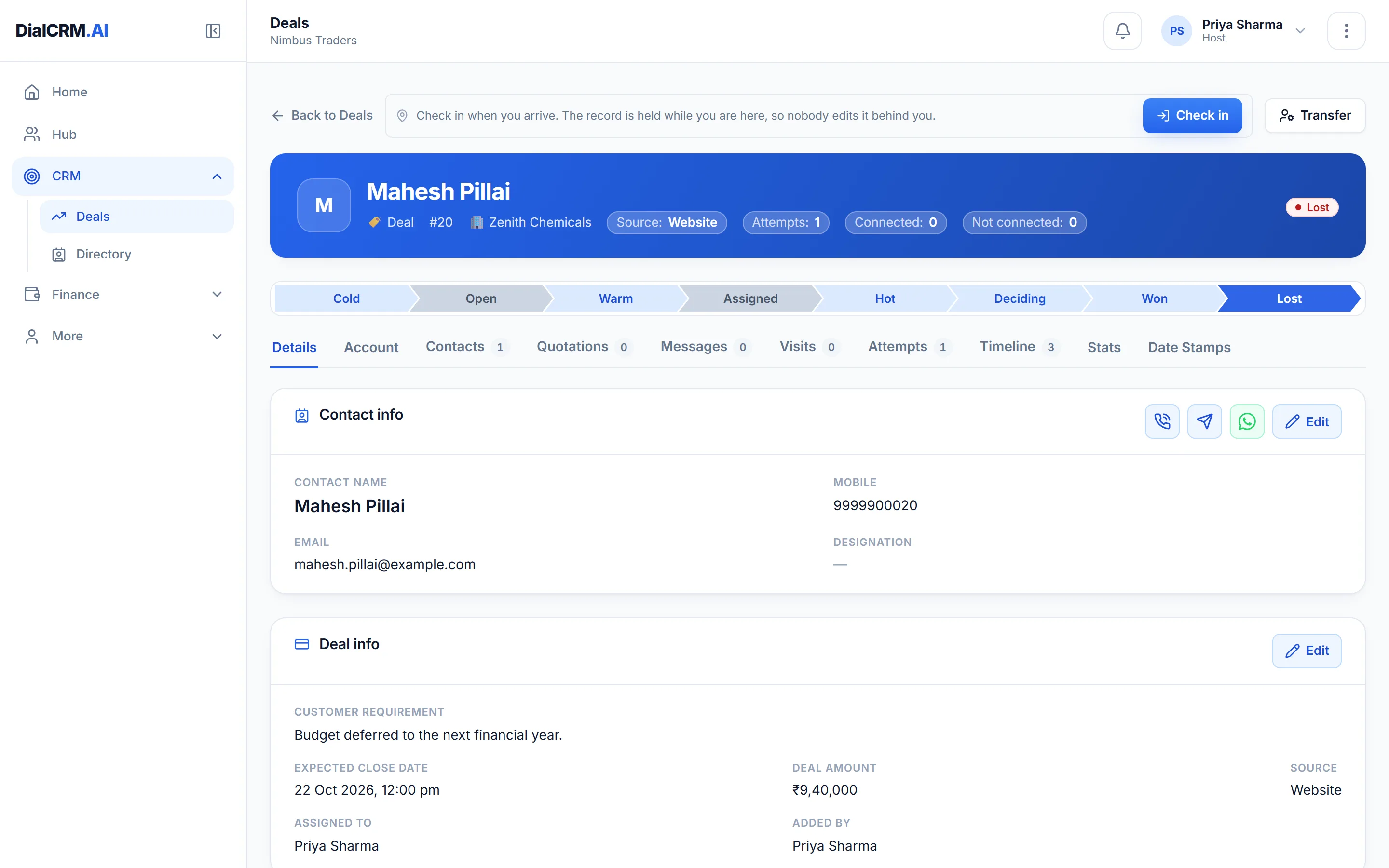
The dialler opens beside the record you are on, so the customer’s details stay in front of you.
The call becomes part of the customer’s history as it ends.
Because calls are logged automatically, the numbers are there without anybody compiling them.
Questions
Call a contact from the deal itself. The dialler opens beside the record, and when the call ends the attempt is logged with its disposition, talk time and recording.
The audio is filed against the customer, and can be played back later from the Attempts tab on the record.
A DialTalk key. Each workspace connects its own, because the key identifies the account the calls are billed to.
Create a workspace, connect a source, and watch the pipeline fill with your real customers.
Get started free